Learner Dashboard
Oxford English Hub
Learner Dashboard at a glance
Problem: Students found the existing dashboard confusing — no clear entry point to content, no progress visibility, and teachers called the interface 'too busy'.
Approach: Ran unmoderated Maze tests with 29 teachers, validated assumptions through 2 tasks + targeted questions, then redesigned around 'Last Opened' and 'Word of the Day'.
Outcome: Shipped a clearer, mobile-first dashboard with 3 new components (Product Card, Resources Card, Word of the Day) and edge-case states for every lifecycle stage.
Role: Led user research, redesigned the dashboard, designed and shipped new component specs.
From research to shipped components
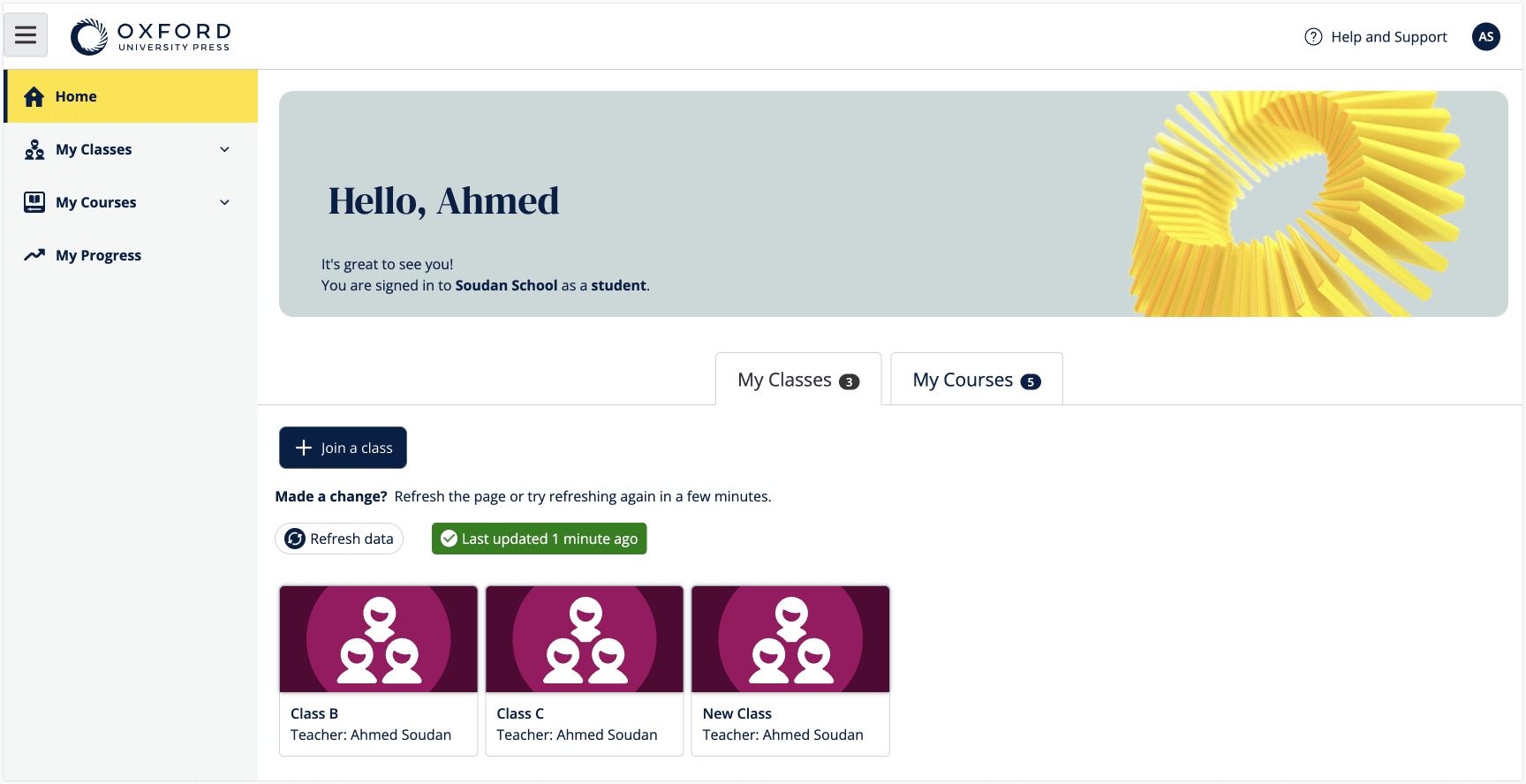
The old dashboard — no clear entry point, no progress visibility
A cluttered first impression
The existing dashboard was a flat list of classes and product codes with no clear hierarchy. Users described it as 'confusing' and 'too busy' — they couldn't quickly find their active content or understand what to do next.
Product design · User research · Journey mapping · Component specs
I led user research to validate assumptions, redesigned the dashboard to deliver a clearer and more actionable student experience, and designed and shipped three new components to support the new layout.
The redesigned dashboard in action
Responsive dashboard demo — desktop, tablet, and mobile breakpoints
Clarity-first redesign
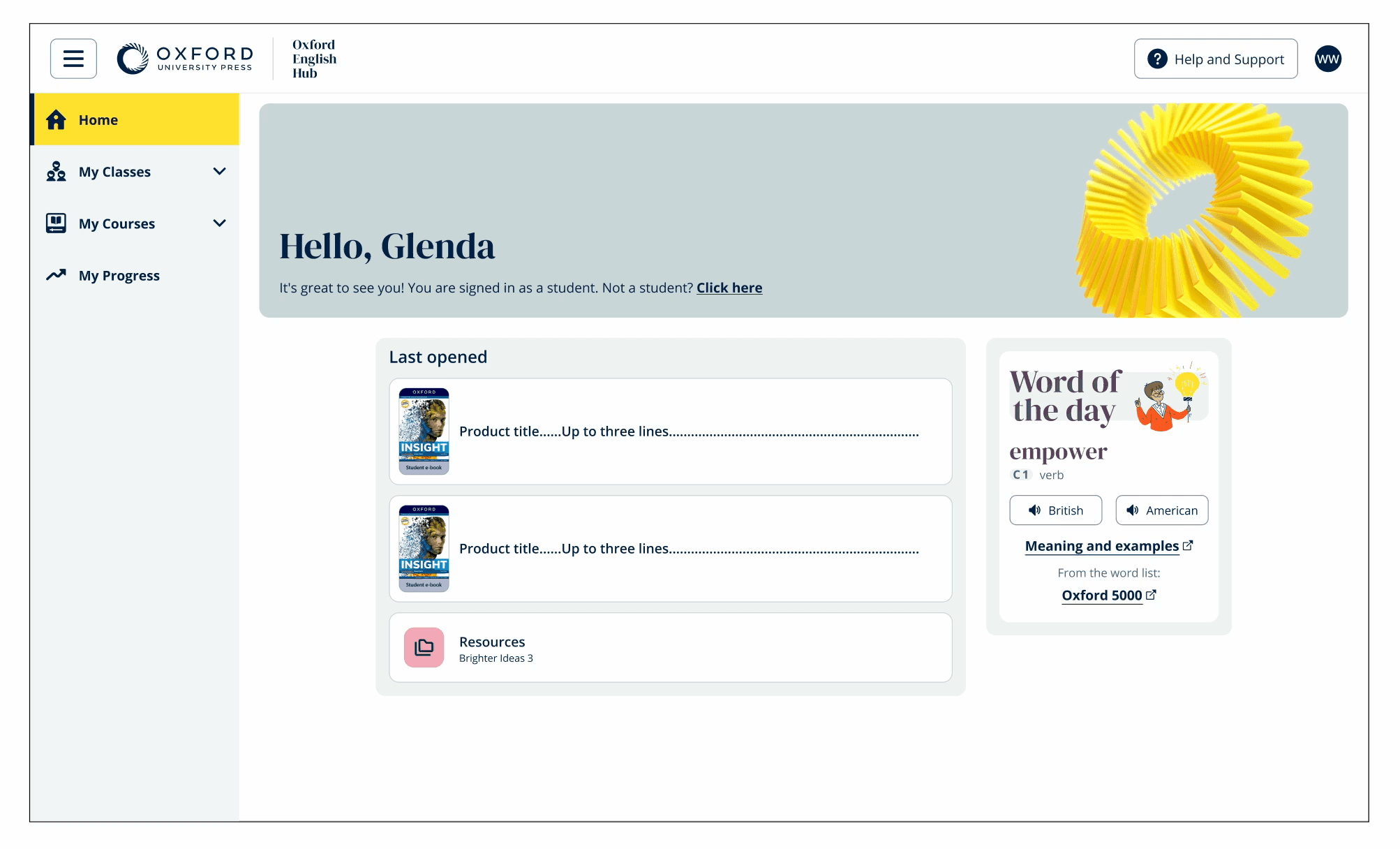
The redesigned dashboard — personalised greeting, Last Opened, and Word of the Day
What do you want to click on first?
Most clicked — daily engagement hook
Quick resume — instant content access
Teacher-assigned deadlines
Lowest priority for teachers
How students access their materials
85% — primary device for most students
54% — common in classroom settings
50% — used at home or in labs
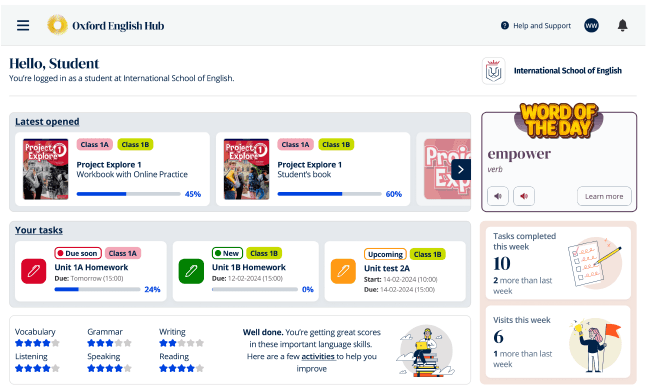
The prototype tested in Maze — overwhelmingly positive reception
The version tested with 29 teachers
This Maze prototype was tested with teachers from multiple countries — primarily secondary level, with some primary and adult educators. Overwhelmingly positive feedback, with 'Latest Opened' and 'Word of the Day' highlighted as the most valuable additions.
“Students find it difficult to find things. They are so confused by the interface.”
Teacher participant — describing the old dashboard
Product Card — anatomy, spacing, states & accessibility
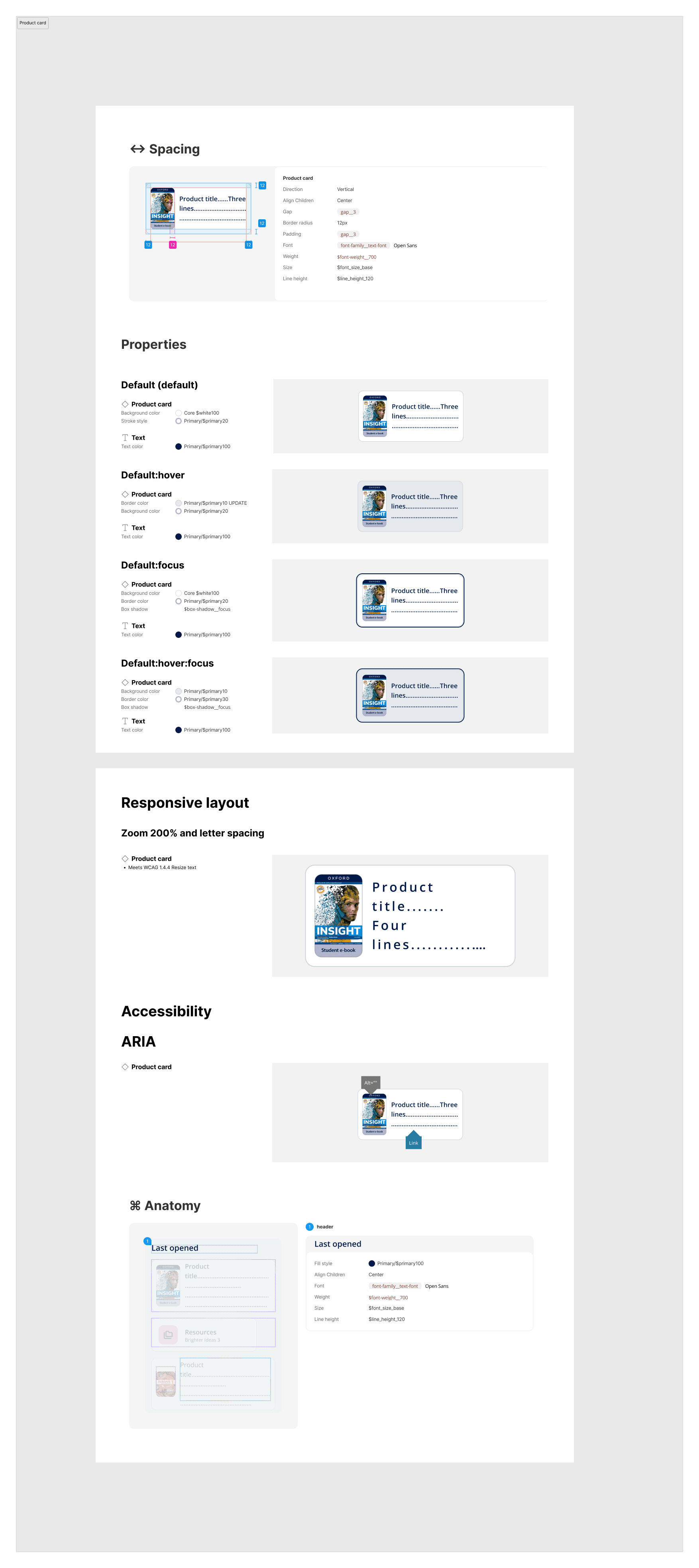
Product Card spec — spacing, properties, responsive layout, ARIA, and anatomy
Resources Card — behaviour, spacing & responsive layout
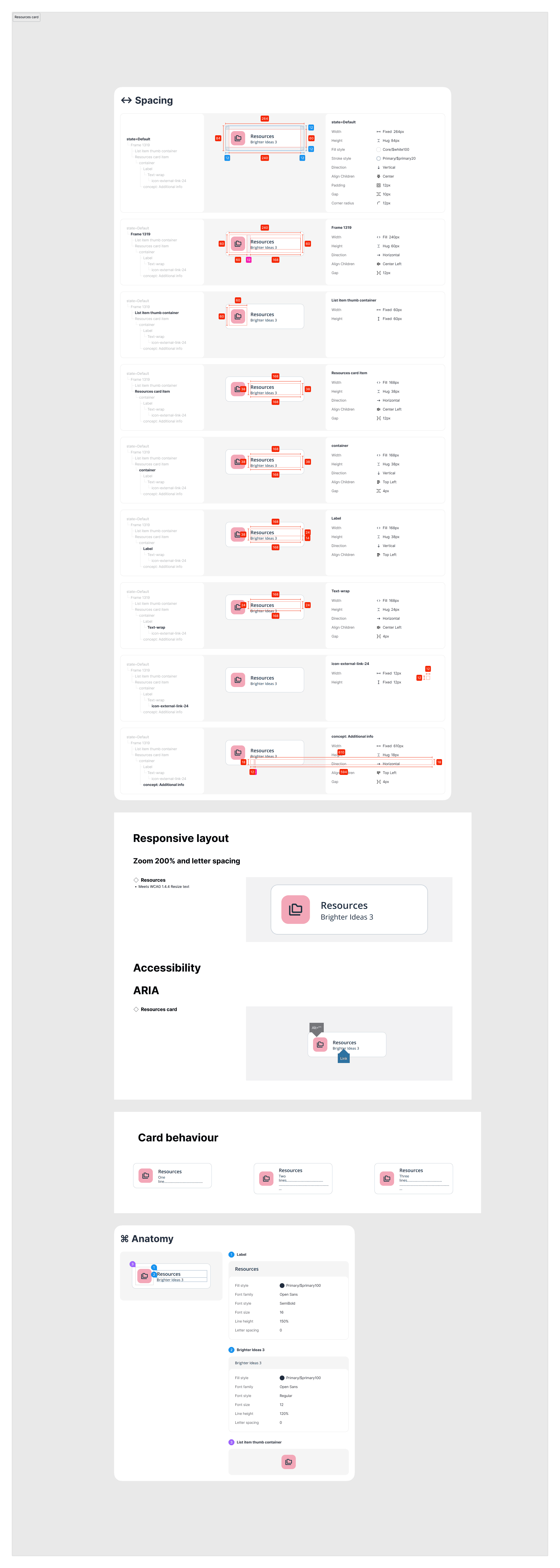
Resources Card spec — spacing variants, card behaviour, responsive layout, and anatomy
Word of the Day — the daily engagement touchpoint
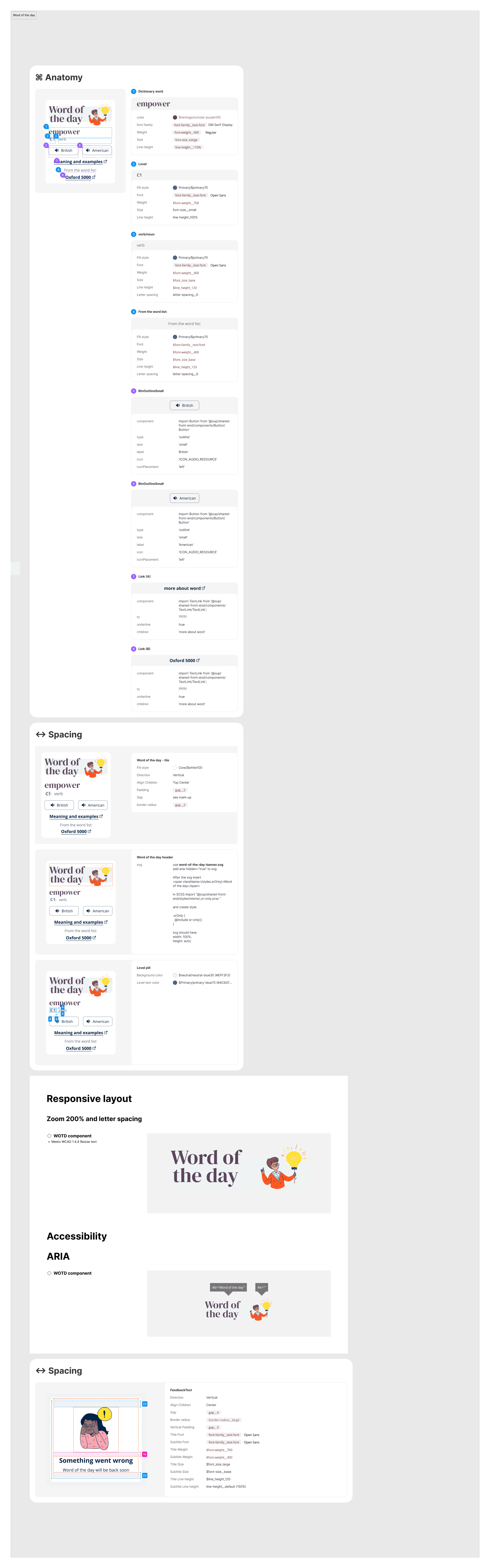
Word of the Day spec — anatomy, spacing, responsive, ARIA, and error states
Every lifecycle stage, designed
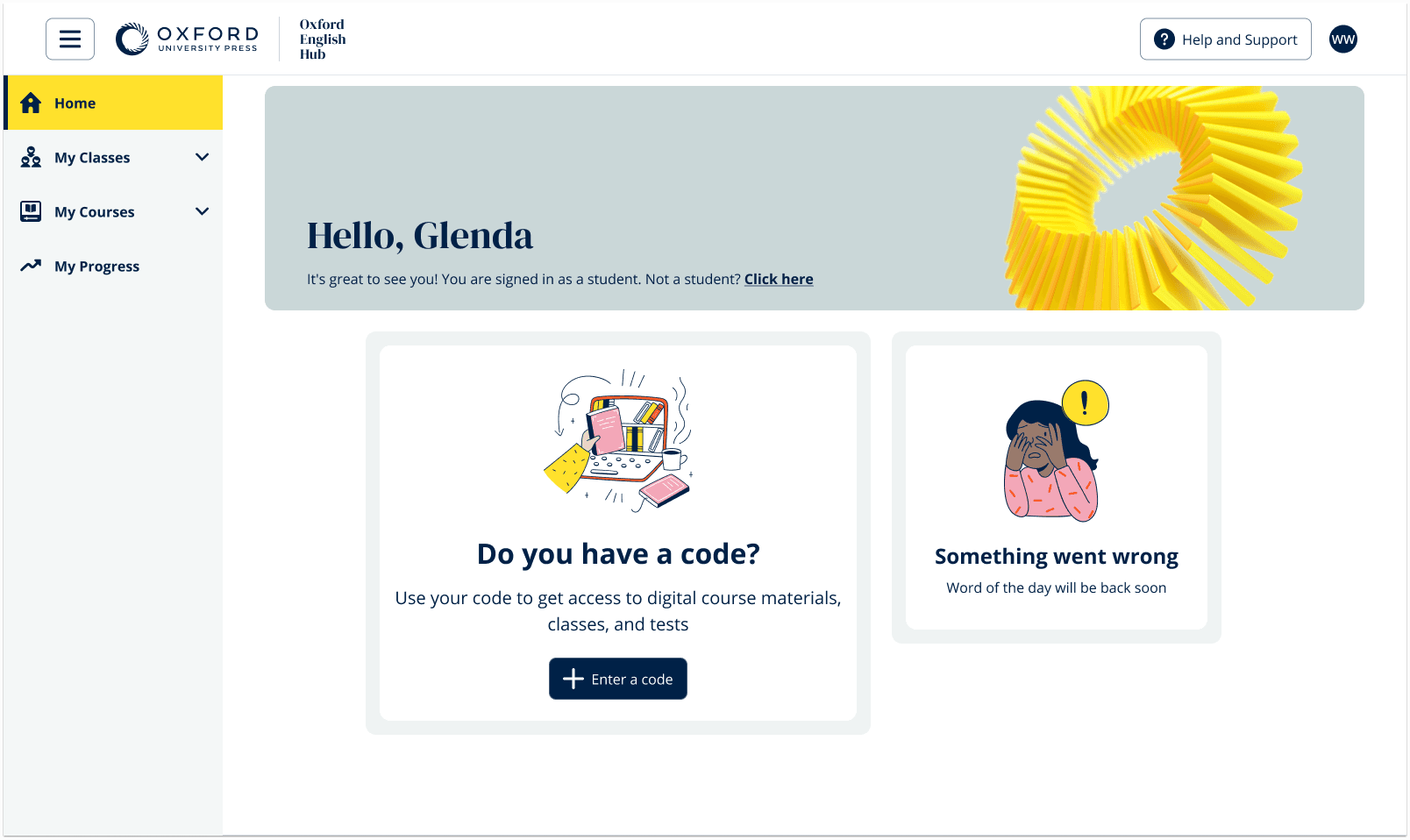
Empty + API error
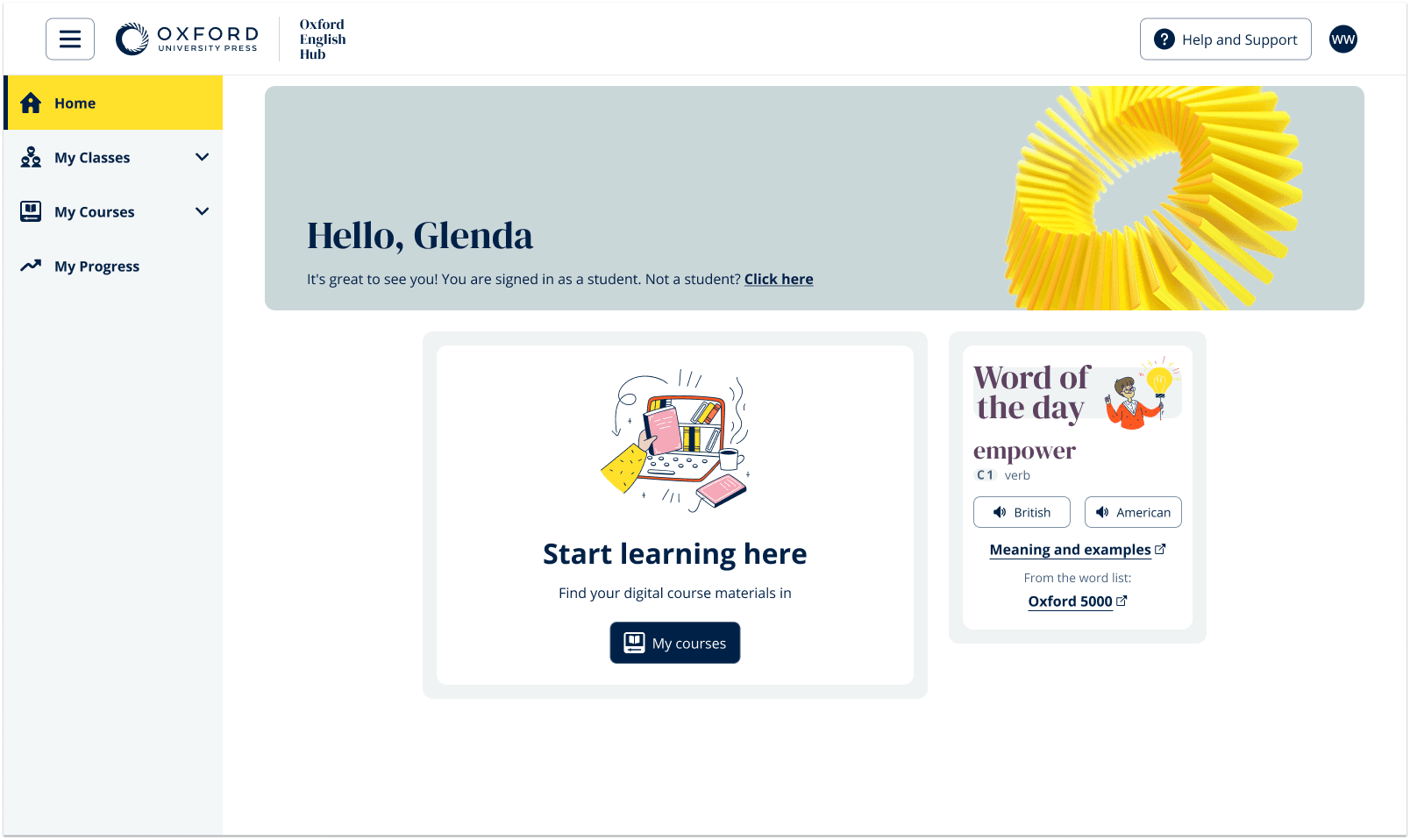
Code redeemed
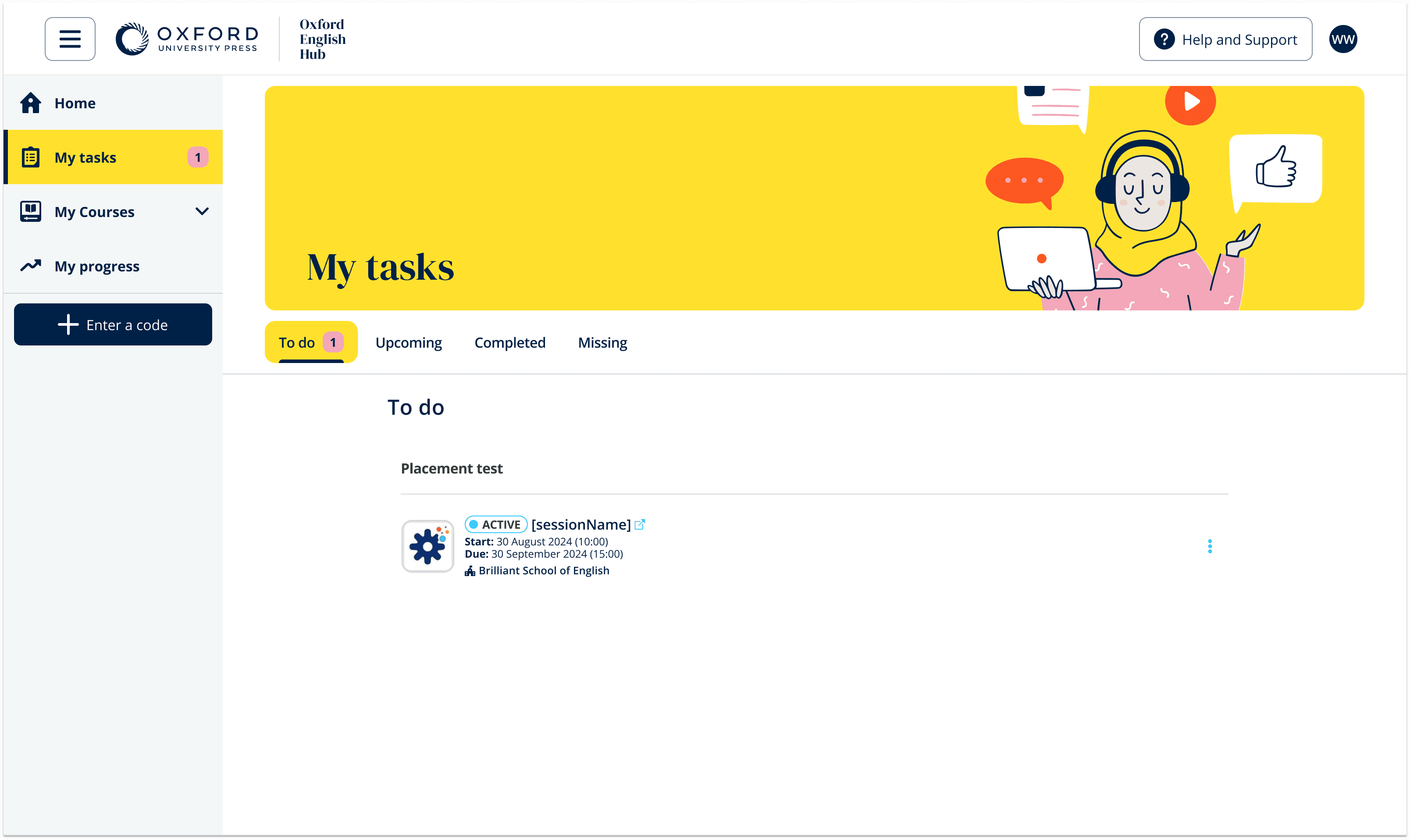
OPT student tasks
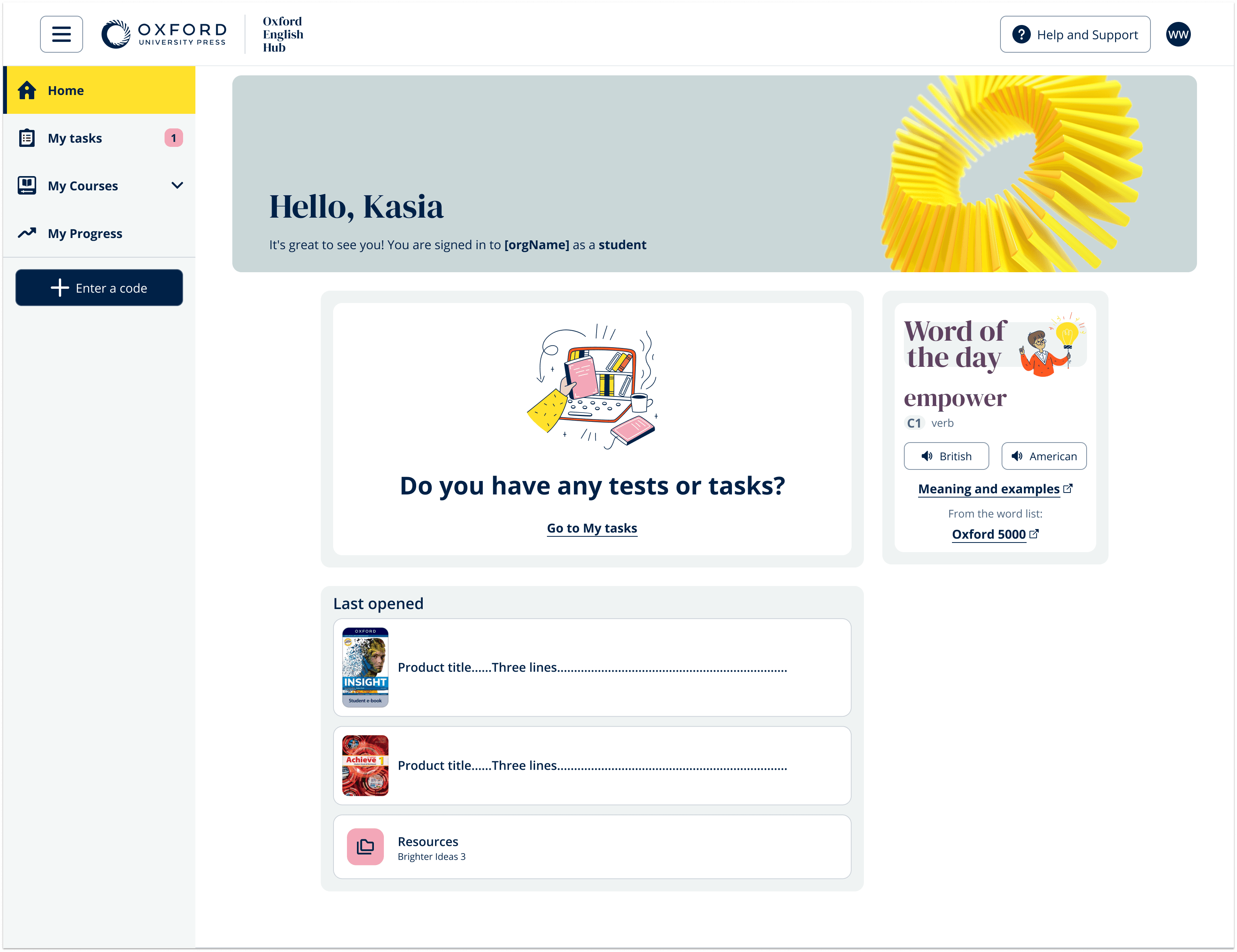
Courses + tasks
Teacher feedback highlights
Teachers ranked it as a top-2 feature
Most wanted feature — daily hook
Major improvement over old dashboard
Lowest priority — deprioritised in layout
What I learned
This project reinforced that the smallest feature can have the largest perceived impact. Word of the Day was a simple widget — yet it was the single most-wanted element in testing, beating task lists and course navigation. Designing edge-case states (empty, error, redeemed) early saved significant rework — every state became a moment to guide the learner forward rather than leave them stranded. The 85% mobile usage stat reshaped our entire approach: we designed mobile-first and scaled up, rather than desktop-first and scaling down.